
Recorded
The decision and its context stay with the record, and a weekly view shows you the outcome.

Where the example stands
The patient chose the Friday evening place, and the clinic's team booked the visit. The inquiry is closed.
What remains is what makes the next conversation easier: what happened, who decided, and why. In the fifth step the record keeps it, and the weekly view uses it.
What the record keeps, and what the week shows
- This inquiry, in order
ArrivedThrough the web form
ReplyPrepared by the agent
ApprovalApproved with one change
Follow-upA reminder approved, and a question about an insurer answered by the front desk
StatusClosed, booked by the clinic's team
- This week's page
Inquiries receivedCounted from the record
Replies approved and sentCounted from the record
Visits bookedCounted from the agenda
Visits attendedNot reported
StatusOne figure not reported
How the outcome is kept and shown
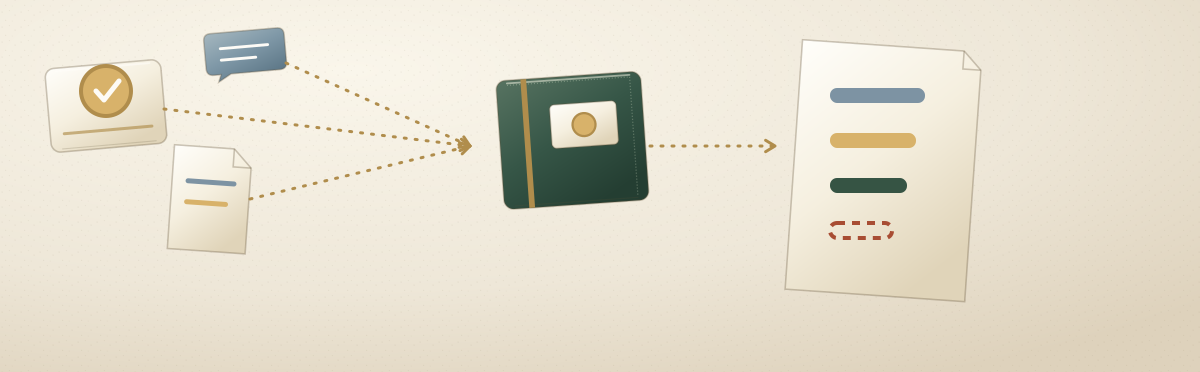
The decision and its context stay with the record, ready for the next conversation and the weekly view. Every figure traces back to its source record. When a figure is corrected, the earlier figure stays in the history. In the home page example, the front desk corrected the visits booked from 8 to 9 after adding a phone booking.
You see the outcome in a weekly view that shows what moved and what is missing, with figures that are not reported marked as such. Every pilot includes a dashboard built on the same record your agents work from, and a connection between your own AI assistant and that record, so you can ask about the same data in plain language. The items you see through your assistant are the same items shown on the dashboard.
What the weekly page contains
Each week, the record gives you inquiries, bookings, no-shows, orders, and cash on one short page, built from the sources agreed in the audit. These records and weekly numbers come with the work.
In the home page example, the week shows inquiries received, replies approved and sent, visits booked, and visits attended. The weekly owner report is listed on the home page for all sectors.
The design brings newly delegated work into a shared record and shared rules. This describes the intended design, not comprehensive department coverage available today.
How the record connects to what you pay
The records and weekly numbers are delivered as part of the follow-up and are not priced on their own. The same figures are the basis for any fee. The Pricing page sets out how the fee is worked out.
Where the example ends
One inquiry went through five steps, and the record holds every one of them. Other work runs on the same steps and the same record, such as inquiry to booked visit and the weekly owner report. You can also go back to the start of the example.
See what you could delegate.
A free, no-commitment 30-minute conversation. You leave with a clearer picture, whether or not you work with us.